Best apps to save links on Android in 2026
Saving a link is easy. Finding it again — an article, a reel, a product, a YouTube video you dropped into some app three weeks ago — is where every method falls apart. Here are the best apps to save links on Android in 2026, compared by how well they let you find things later.
👉 Short answer: If you just want to read an article later, a read-it-later app works. If you save everything — links, reels, videos, screenshots, PDFs — and want to find any of it in seconds by meaning, an AI memory app like BhaiFinder is the best pick in 2026, especially in India.
The best apps to save links on Android
1. BhaiFinder
Share any link, reel, video, photo or document to BhaiFinder and its AI reads it, tags it and files it automatically. Later, you search in plain language — “that cheap flight article,” “the paneer recipe” — and it finds the meaning, not just exact words. Works across Instagram, YouTube, WhatsApp, Chrome and your gallery, so everything lives in one searchable place.
2. Pocket / Instapaper style apps
Great for saving articles to read offline later, with a clean reader view. The limitation: they're built around web articles, not reels, videos, screenshots or documents — so they only cover a slice of what people actually save.
3. Google Keep / Notion
You can paste links into a note and even tag them. Flexible, but it's manual: you have to organise everything yourself, and searching still relies on the exact words you typed — not what's inside the link.
4. Chrome bookmarks / reading list
Fine for a handful of websites you revisit. But bookmarks pile up fast, folders get messy, and it doesn't touch the reels and videos you save in other apps.
How to pick the right one
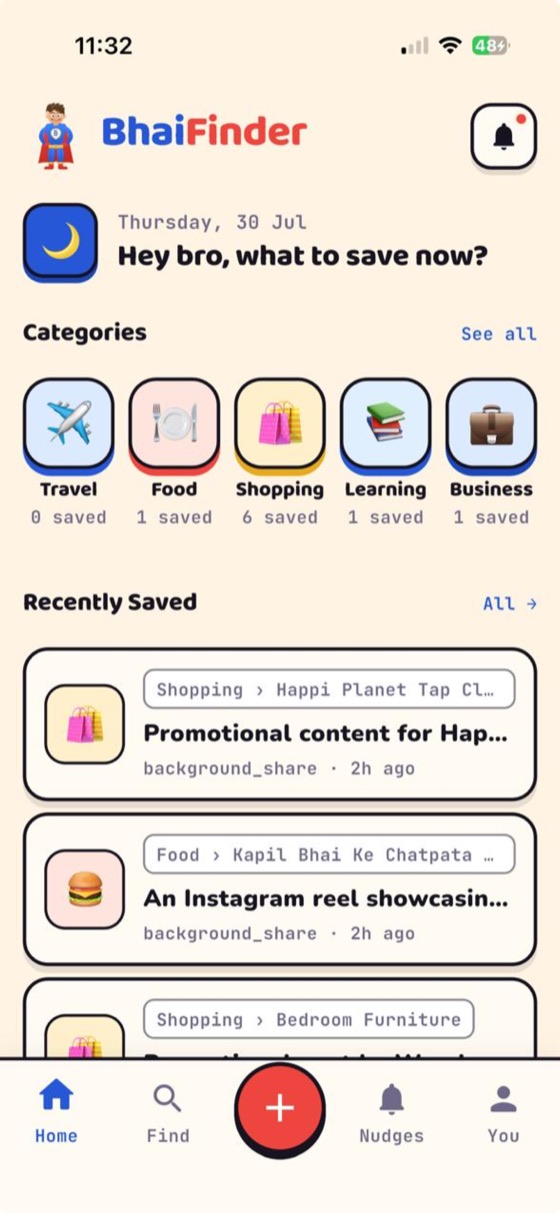
Ask yourself one question: do you save only articles, or everything? If it's only articles, a read-it-later app is enough. If you're the kind of person who saves reels, forwards, screenshots and links all day and can never find them — you want one app that ingests all of it and lets you search by meaning. That's the gap BhaiFinder fills.
FAQ
What is the best free app to save links on Android?
For links only, a read-it-later app works. For saving links plus reels, videos, screenshots and documents — and finding them again by meaning — BhaiFinder is the best free-to-start option in 2026, on Android and iOS.
How do I save a link so I can find it later?
Open the link, tap Share, and pick your save app. With BhaiFinder, its AI then reads and categorises the link so you can search it in plain language later.
Can one app save links, reels and screenshots together?
Yes — BhaiFinder is built for exactly that. Anything you can share on Android can be saved to it and found later in one place.
Is it free?
BhaiFinder is free to start (20 saves/month). Paid plans start at ₹99/month for unlimited saves and more AI scans.
Save every link in one searchable place
BhaiFinder is your AI memory. Free to start on Android & iOS.
Related: How to save Instagram reels and find them later · Never lose a visiting card again · Find a reel or screenshot you saved months ago