
How to never lose a visiting card again
You meet someone useful, they hand you a card, you put it in your wallet — and three months later you can't remember their name, let alone find the card. Here's how to make sure that never happens again, in about 5 seconds per card.
👉 Short answer: Don't file paper cards — photograph each visiting card with an app that reads it. BhaiFinder's AI Scan reads the name, phone number and company off the card and saves it as searchable text, so you can find “that architect from the Delhi expo” months later in seconds.
Why paper visiting cards get lost
A stack of cards has no search. You can't ask it “who was the interior designer?” You'd have to flip through every card — if you even kept them. Typing each one into your contacts is too much effort, so most cards just… disappear. The fix isn't better filing. It's making the card searchable.
How to scan and save a visiting card (5 seconds)
- Open BhaiFinder → Create (+) → Camera (or Image, to pick a photo you already took).
- Snap the visiting card. No typing, no forms.
- Bhai reads it — name, phone number, company, role — and saves it as searchable text, auto-filed under Contacts.
- Find it anytime. Later, search “the architect from the expo” or the company name, and it's right there. Tap Show original to see the actual card photo.
Want to see the save-from-camera flow? Watch the save & scan walkthrough.
What makes this better than a contacts app
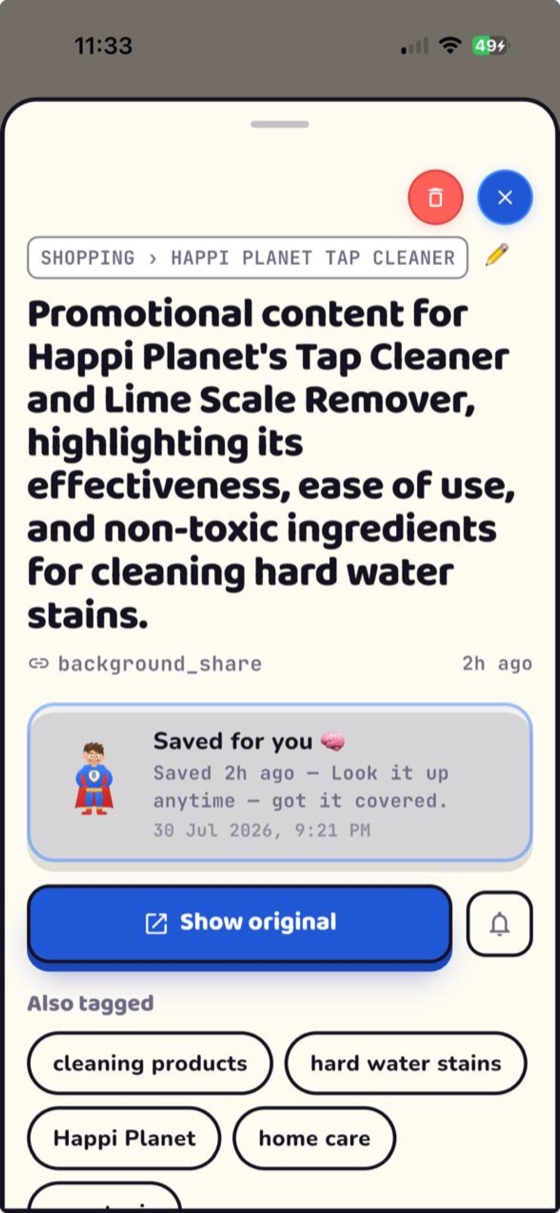
- Zero typing — the AI reads the card for you.
- Search by memory — you don't need the exact name; “the caterer from Priya's wedding” works.
- The original is kept — the card photo is one tap away, in case you need the logo or a hand-written note on it.
- Everything together — cards live alongside your reels, bills and documents, all searchable in one place.
FAQ
How do I save a business card on my phone without typing it?
Photograph the card in BhaiFinder's Camera or Image save. Its AI reads the name, number and company off the card and saves it as searchable text automatically — no typing.
Can I find a visiting card months after I saved it?
Yes. Because the card's text is searchable, you can find it later by the person's name, company, or even a description like “the architect from the Delhi expo.”
Does it keep the original card photo?
Yes. Tap Show original on the saved item to see the actual photo of the card whenever you need it.
Is there a free app for this in India?
BhaiFinder is free to start (including a couple of AI Scans a month), works on Android and iOS, and is built for Indian users.
Snap a card once. Find the person forever.
BhaiFinder is your AI memory. Free to start on Android & iOS.
Related: How to save Instagram reels and find them later · Best apps to save links on Android · Find a reel or screenshot you saved months ago