
How to save WhatsApp forwards and find them later
Your family group forwards a genuinely useful video. A friend sends a link you'll "check later." A week on, it's buried under 400 good-mornings. Here's how to save WhatsApp forwards so you can actually find them again.
👉 Short answer: WhatsApp has no way to search forwards by topic — starred messages are just one flat list. To keep the useful ones, share the forward to an AI memory app like BhaiFinder: it reads the link, video or image, tags it, and lets you find it later by meaning.
Why WhatsApp forwards get lost
WhatsApp keeps everything in the order it arrived. You can "star" a message, but starred items are still one long undated list with no search by topic — so a link about a scheme, a recipe video, or a job post disappears within days. The content isn't gone; it's just unfindable.
Save the useful ones to BhaiFinder
- Tap the forward → Share → BhaiFinder. Works for links, videos, images and documents.
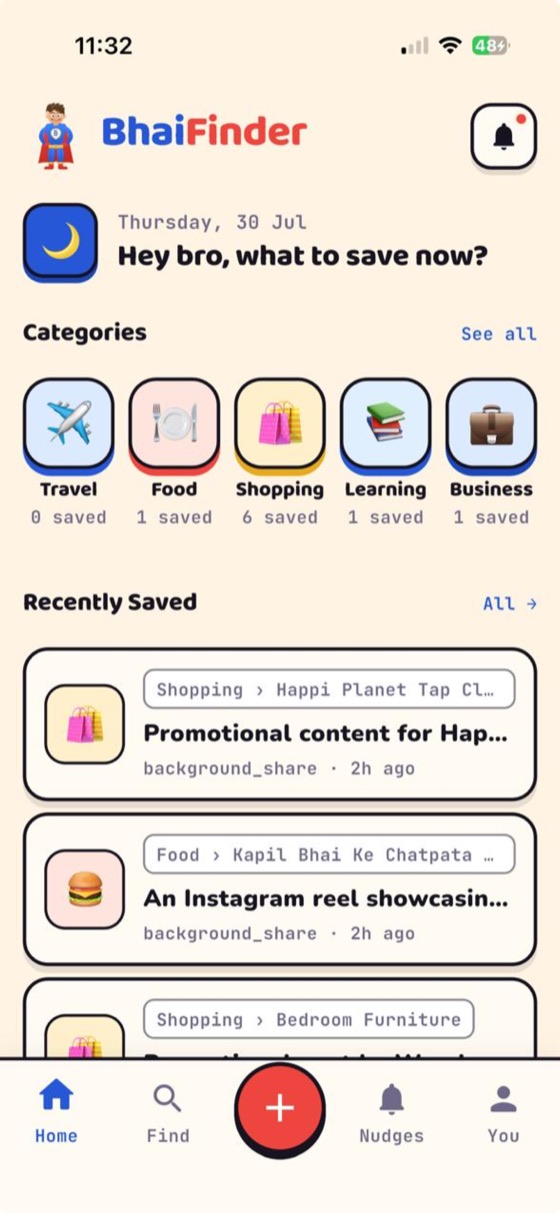
- Bhai reads it — the article, the video caption, even the text inside an image — and files it automatically.
- Search later in Hinglish or English — "woh sarkari yojana wala message", "the biryani recipe video" — and it's right there.
See the flow in the save walkthrough.
What's worth saving from WhatsApp
- Useful links & articles people forward.
- Recipe and how-to videos from family groups.
- Job posts, forms and notices shared in community groups.
- Bills, tickets and screenshots sent to you.
FAQ
Can I search my WhatsApp forwards by topic?
Not inside WhatsApp — even starred messages are one flat list. If you share a forward to BhaiFinder, its AI makes it searchable by meaning so you can find it later.
How do I save a video someone forwarded on WhatsApp?
Open the video, tap Share, and pick BhaiFinder. It saves the video and reads its context so you can find it again by description.
Does BhaiFinder store my whole chat?
No. Only the specific forward you choose to share is saved. Nothing else from your chats is touched.
Is it free?
BhaiFinder is free to start with 20 saves a month, on Android and iOS.
Save it once. Find it forever.
BhaiFinder is your AI memory. Free to start on Android & iOS.
Related: Best apps to save links on Android · Save Instagram reels and find them later · Find a reel or screenshot you saved months ago